
Blog Tools – the content and SEO layer for your blog
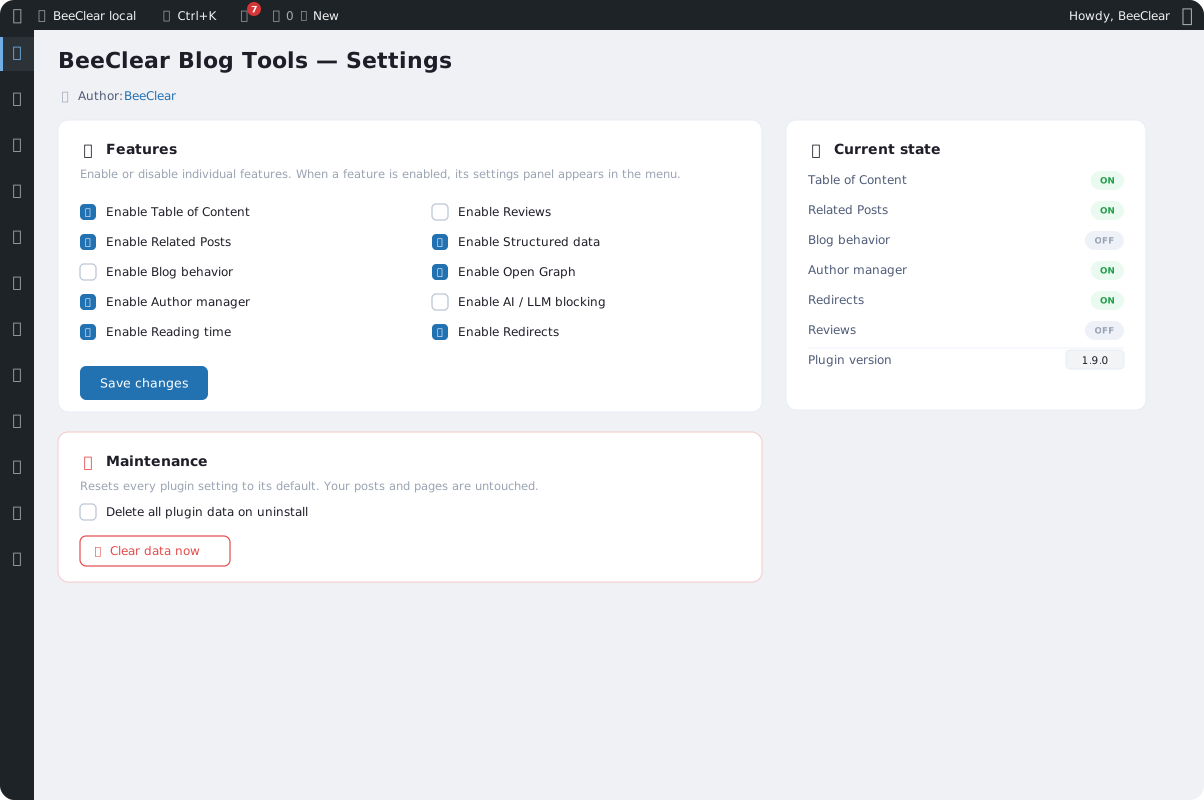
One plugin brings together the repeatable parts of a post and the whole visibility layer: table of contents, related posts, author box, structured data, FAQ schema, Open Graph and reading time. You turn on each feature separately, and the content in your database stays untouched.
What’s in Blog Tools
A set of modules that dress up a post and boost its visibility – without permanently touching your post content.
Table of contents
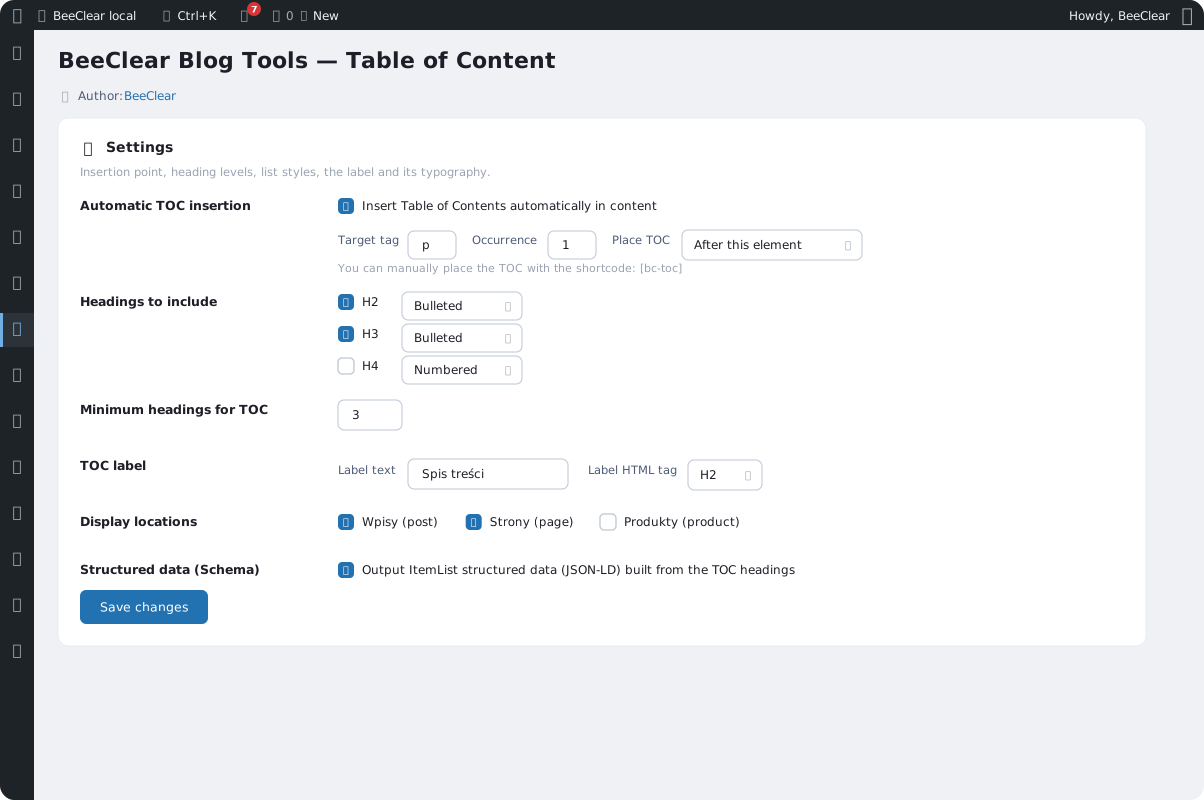
A nested list built from H2–H4 headings, with automatic anchors and per-level list styling. It inserts itself automatically, or you can drop it in anywhere with a shortcode.
Related posts
Suggestions for further reading, matched by category, tag, or both. They keep readers on the page longer and strengthen internal linking.
Author box
Author profiles as separate posts – name, bio and photo – with support for multiple authors per post and Person schema data.
Structured data
A ready-made JSON-LD graph: BlogPosting, BreadcrumbList, Organization and more. It works automatically and coexists with an SEO plugin if one is already handling schema.
FAQ schema
FAQPage in JSON-LD, built from question–answer pairs in the content. The FAQ section becomes a rich result in Google, with exclusions per post and per type.
Open Graph
og: tags and the Twitter card are read from what’s already in the head, so no property gets duplicated. You can override the title, description and image per post.
Reading time
Estimated reading time calculated from the content on display, Unicode-aware. It also feeds the social card and structured data.
AI/LLM blocking
A hard cutoff for AI crawlers across four layers at once – robots.txt, meta tag, header and a 403 response for known bots. Googlebot and regular SEO stay untouched.
Redirects
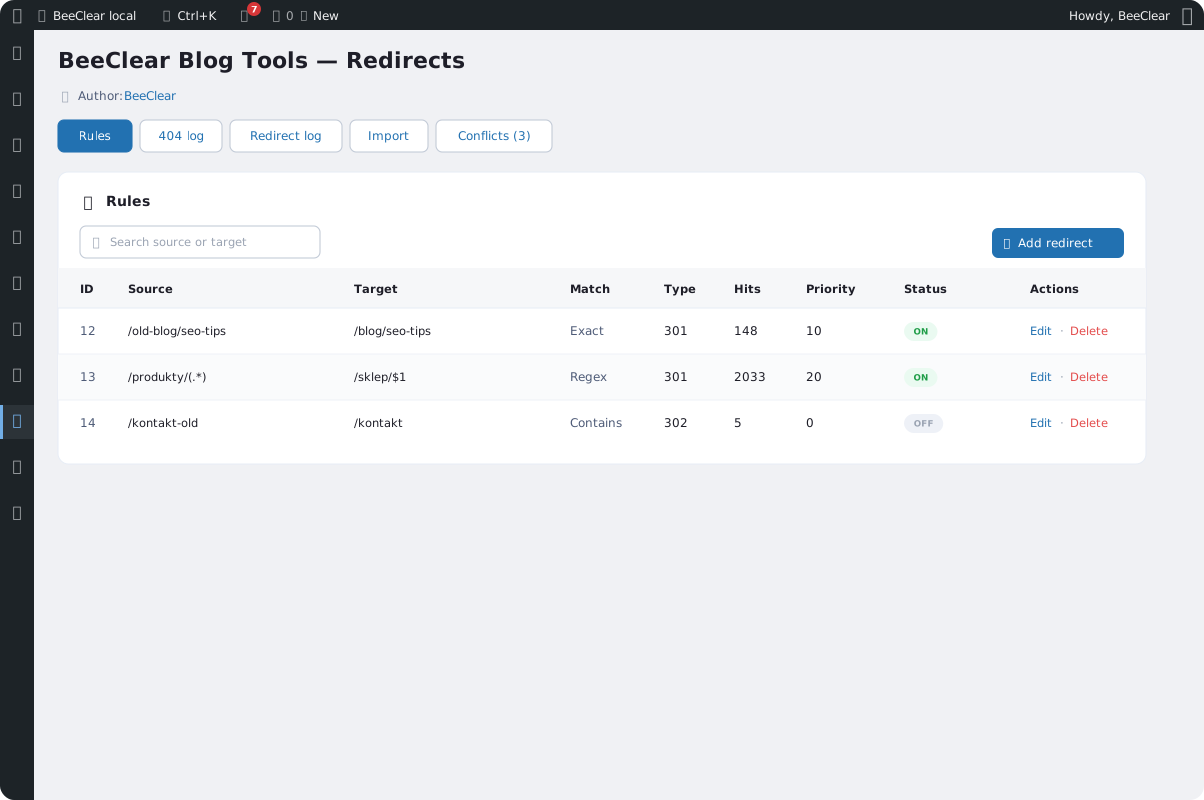
A 301/302/410 rules manager with exact, pattern and regex matching, a 404 log, and import from Rank Math and Redirection. No more dead links.
One plugin, two layers
Blog Tools takes care of what the reader sees and what search engines and AI models see, at the same time.
Content layer
Elements that dress up a post and guide the reader through the text.
- Table of contents, related posts and author box
- Reading time and always-current year tokens in the output
- Icons, tooltips and a language switcher
Visibility layer
Signals that make content look better in search engines and when it’s shared.
- Structured data, FAQ schema and Open Graph
- Alt and title generator plus a redirects manager
- AI crawler blocking, for when you don’t want to feed the models
Screenshots
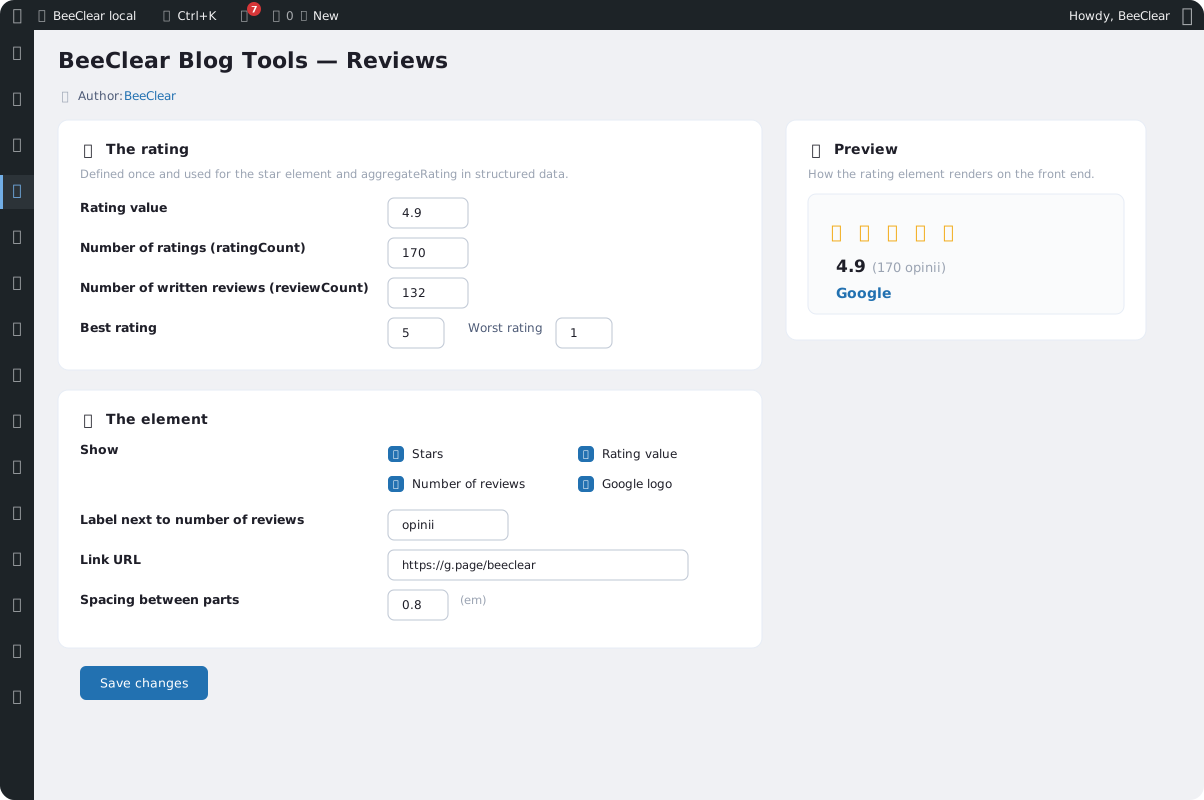
Modules, redirects and table of contents – Blog Tools in the WordPress dashboard.
Organize your blog with one plugin
Turn on only the modules you need. Contact us and we’ll help you dial in the settings for your site.