
Gift Shuffle – Secret Santa
A Secret Santa-style gift draw: add participants, set exclusions, and draw pairs with one click. Everyone sees their assignment, hints, and an anonymous chat in their panel.
How Gift Shuffle works
From setting the budget to the first gift hint – you run the whole draw from the WordPress dashboard.
Who this plugin is for
For any group whose members have accounts on a WordPress site – the organizer runs the draw, everyone else just logs in.
Teams and companies
A holiday gift exchange without slips of paper in a hat. Employees log in to the company site or WordPress intranet and immediately see their assignment.
Communities and membership sites
Clubs, associations, and sites where members already have accounts. The draw, hints, and conversations stay in one place – no spreadsheets, no messaging-app groups.
The secret stays a secret
Gift Shuffle shows everyone only what they need to know. Only the organizer sees the full picture of the draw.
- Participants see who they’re buying a gift for – the panel never shows who’s buying for them
- 1:1 chat messages carry no names or account handles
- In the group chat, everyone posts under a random nickname
- The post-draw email invites you to the panel without revealing who you drew
- Only the organizer sees the full list of pairs and the draw history
What sets Gift Shuffle apart
A draw that handles exceptions, latecomers, and gift questions – without revealing who drew whom.
Exclusions
Mark people a given participant can’t draw – a partner, for example. You set the two-way block on both people.
Adding latecomers
New people draw pairs among themselves, while existing assignments stay unchanged. Just two new participants are enough.
1:1 and group chat
The giver can ask about size or a favorite color, and the recipient can reply. The whole group can chat together under nicknames.
Emails to participants
Send a message to everyone or to selected people – every send is logged in the history. Notifications flag new messages and hints.
Custom labels
On the Translations screen you can change all 37 strings in the participant panel, chats, and emails – into Polish, for instance, or your company’s language.
Assignment on the front end
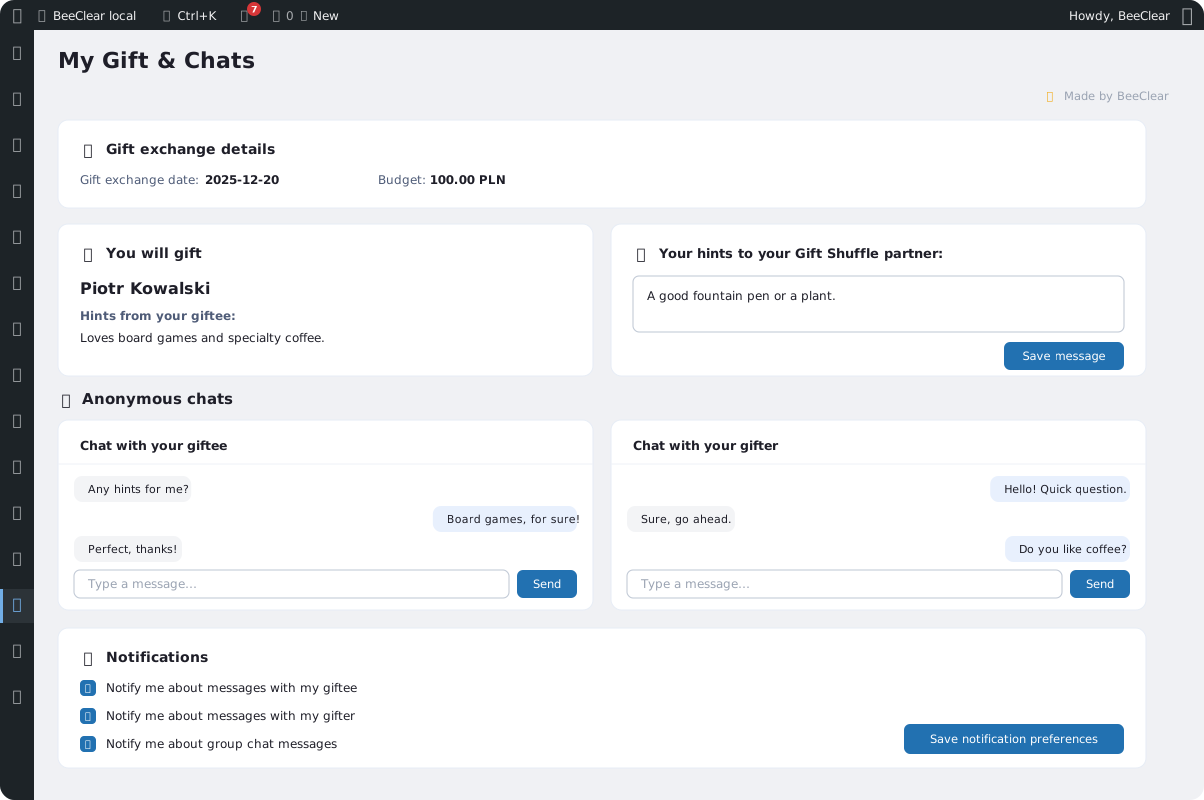
The [beeclear_secret_santa] shortcode shows a logged-in participant who they’re buying a gift for, that person’s hints, and a form for their own.
Screenshots
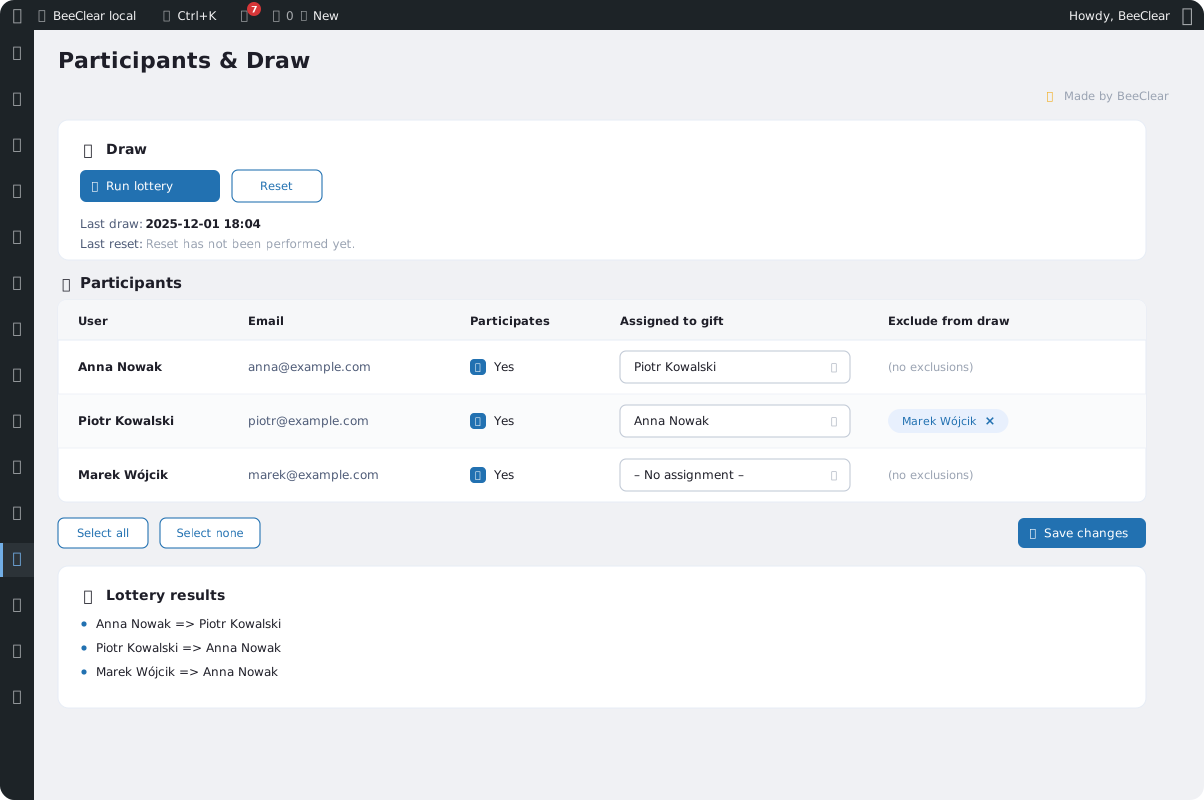
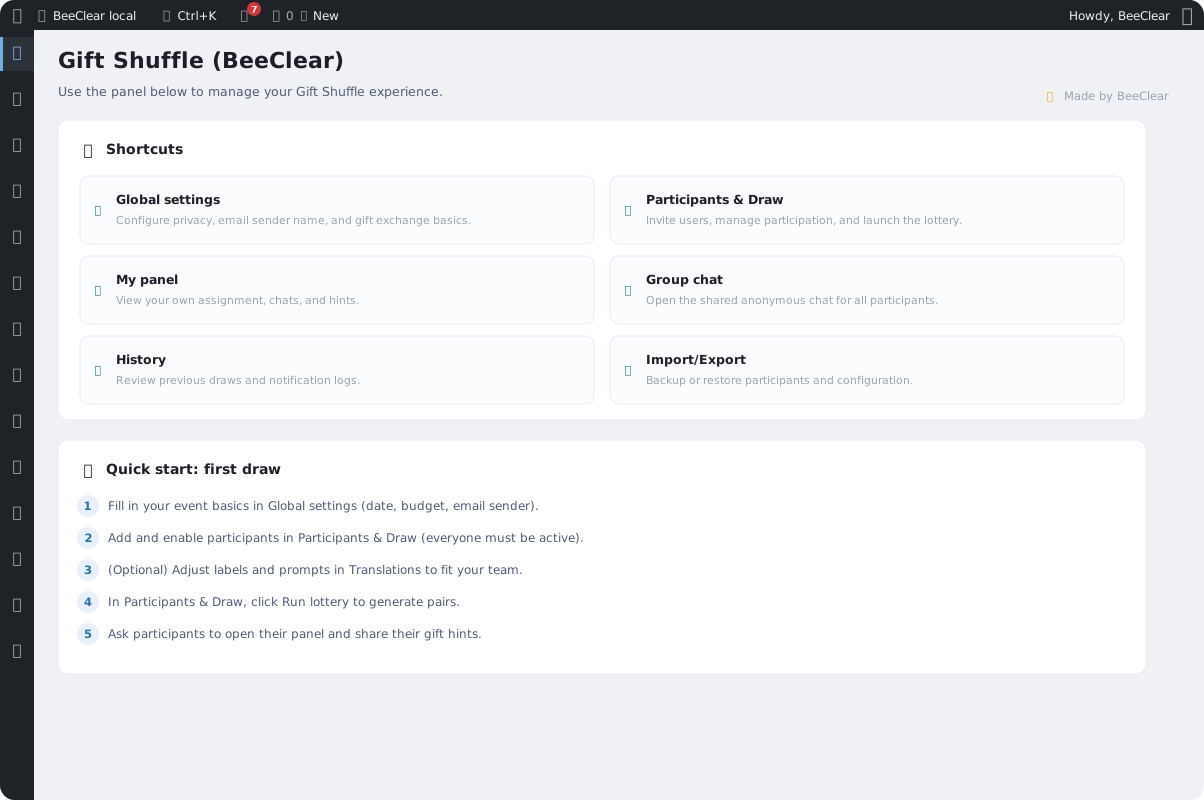
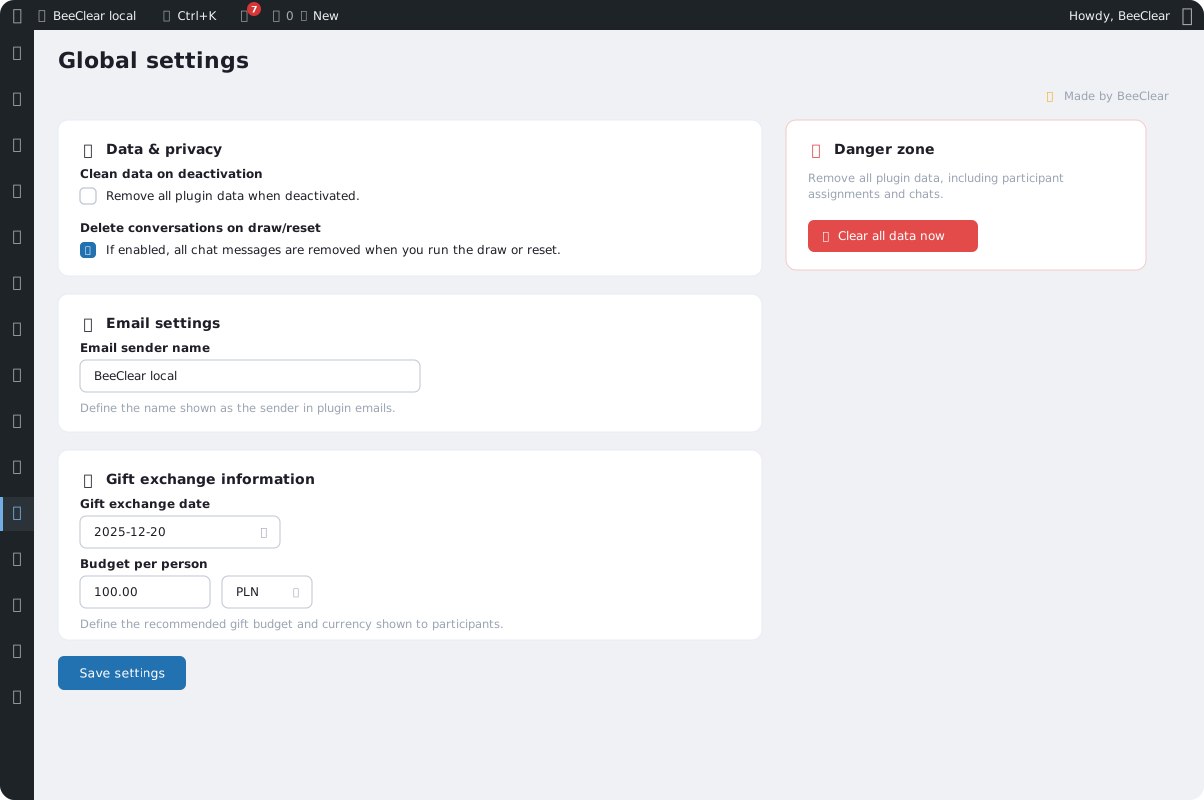
Dashboard, settings, and the participant view – Gift Shuffle in the WordPress admin.
Frequently asked questions about Gift Shuffle
Quick answers to the questions organizers ask before their first draw.
- Will a participant see who’s buying them a gift?
- No. The panel only shows the person the participant is giving a gift to, and the giver chats anonymously. Only the organizer knows all the pairs.
- Do participants need an account on the site?
- Yes. Participants are WordPress users – the organizer selects them from the account list. Once logged in, everyone opens their panel in the dashboard or on a page with the shortcode.
- What if someone joins after the draw?
- Select the new people and run the draw again. Existing pairs stay as they are, and the new participants – at least two of them – draw pairs among themselves.
- What happens to the chats after a new draw?
- By default they stay, separated by a new-round marker. If you’d rather start clean, you can enable deleting conversations on draw and reset in the settings.
- What works without an active license?
- The participant list, the draw, hints, exchange details, history, and JSON import or export. Chats, exclusions, emails to participants, and notifications require a license or the 3-day trial, which needs no card.
- Does deactivating the plugin delete data?
- Only if you enable data cleanup on deactivation. Without that option, participants, pairs, and history all stay in place.
Want to run a draw with your team?
Contact us – we’ll help you set up Gift Shuffle and tailor the draw to your event.