Smart Protector – login protection, 2FA, and an activity log
The plugin hardens how people get into WordPress: it hides the login screen behind your own address, enforces two-factor authentication, and puts a hard server-side checkpoint in front of the dashboard. The blocks run server-side, so they stop automated attempts too.
What Smart Protector does
Nine modules that lock down access to the dashboard and give you visibility into what’s happening on the site.
Hidden login address
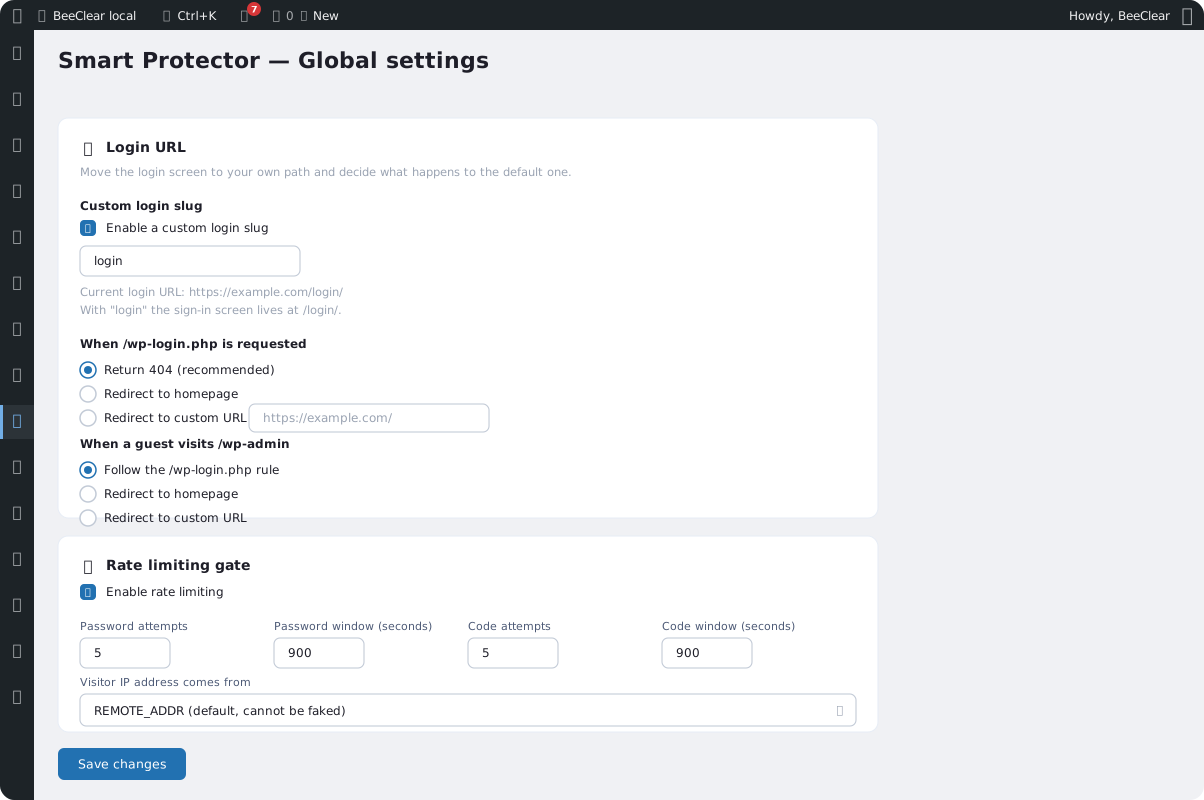
Move the login screen to your own address; /wp-login.php then returns a 404 or redirects wherever you choose. Password reset links keep working.
2FA (TOTP) authentication
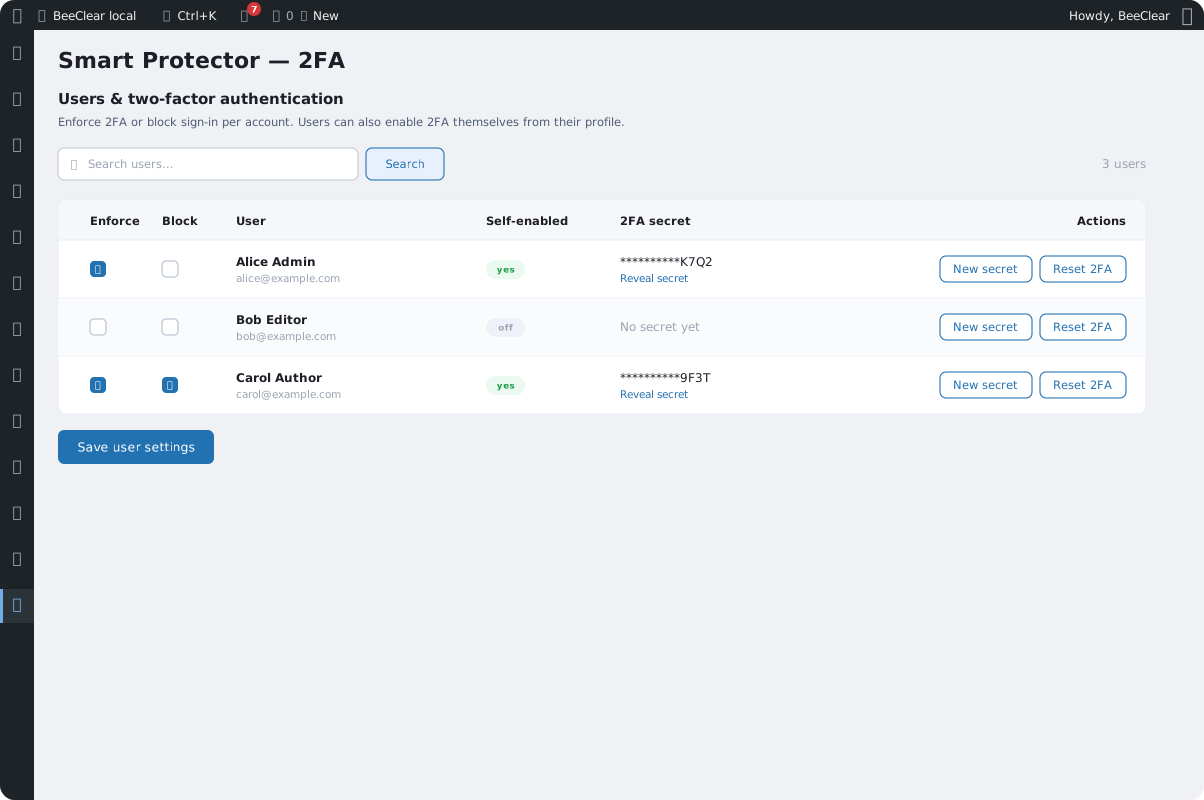
TOTP codes compliant with RFC 6238, enforced per user or enabled voluntarily, with a ±1 step window and protection against code reuse.
Hard dashboard gate
Until a session passes verification, the dashboard, admin-ajax, and the REST API refuse to serve the account. The protection also covers XML-RPC and application passwords.
Attempt limiting
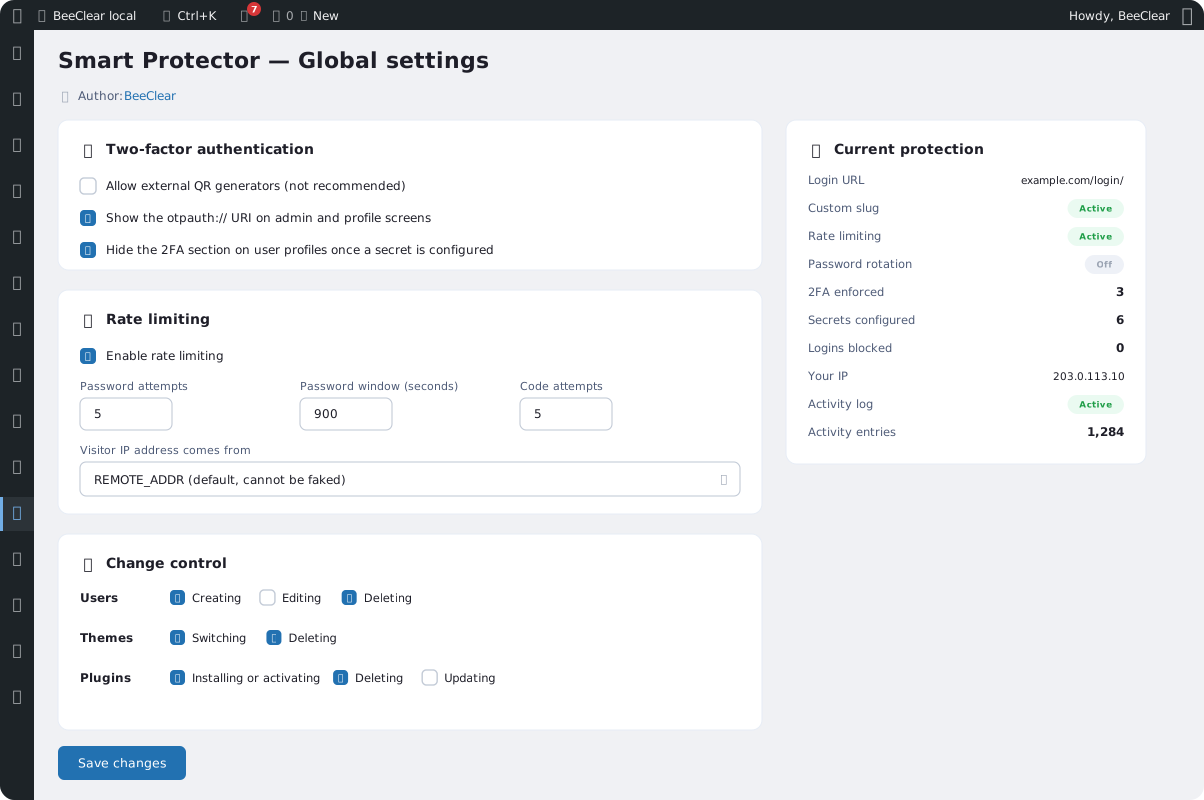
Separate counters for passwords and codes, per IP address and per username, with a countdown shown on the login screen. Behind a proxy that hides the address, per-IP counting turns itself off.
Password rotation
Force a new password every set number of days. The change is caught at the checkpoint, before the 2FA step.
Change control
Block creating, editing, and deleting accounts, switching and deleting themes, and installing, activating, and updating plugins – even for an administrator.
File monitor
An email alert when a new file appears in the WordPress root or in folders you specify – including hidden ones. Alerts are grouped, at most one per hour.
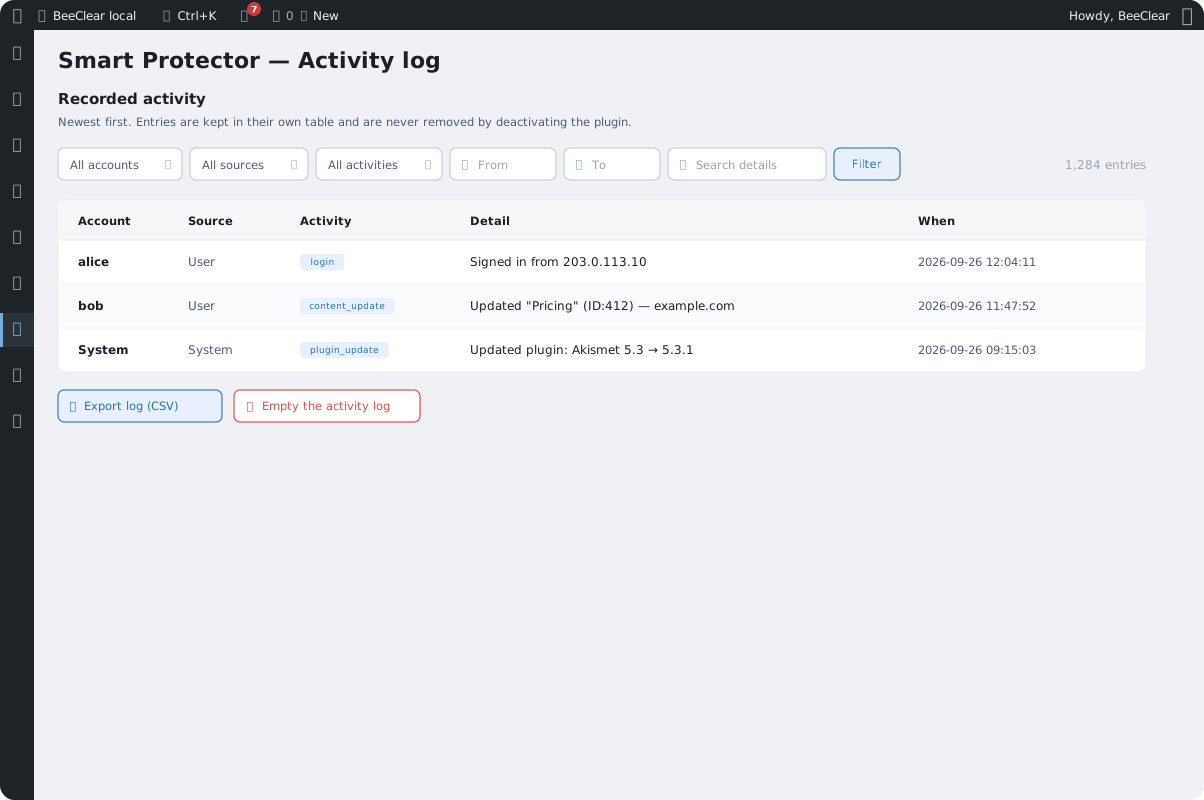
Activity log
Who logged in, who changed a password, which posts and pages were created or changed, which plugins were activated. With filters and CSV export – absorbed from the User Activity Tracker plugin.
Import and export
Move the configuration between sites as JSON, with or without secrets. Imported values are re-validated.
Lock the door, and keep visibility
Smart Protector first makes it harder for unauthorized users to get in, then shows you what actually happened on the site.
Login hardening
Layers that stop an attack before it reaches the dashboard.
- A hidden login address and a hard 2FA gate
- Attempt limits per IP and per user
- Blocks on account, theme, and plugin changes
Visibility and audit
An event log that explains what happened and when.
- Security log: logins, lockouts, 2FA
- Activity log with filters and CSV export
- File monitor with email alerts
Screenshots
Two-factor login, a hidden address, and a log – Smart Protector in the WordPress dashboard.
Lock down access to the dashboard
Hide the login, enforce 2FA, and keep a full event log. Contact us and we’ll help you roll out the protection without risking a lockout.