
Marketing Source Tracking – where each lead came from
The plugin remembers the campaign or site a visitor came from and adds it to the form submission. The lead is sent in the background to ASARI CRM, ClickMeeting or User.com.
What is marketing source tracking?
Marketing source tracking means recording where a visitor came from – a Google Ads campaign, a newsletter, a portal or a search engine – and linking it to the form submission.
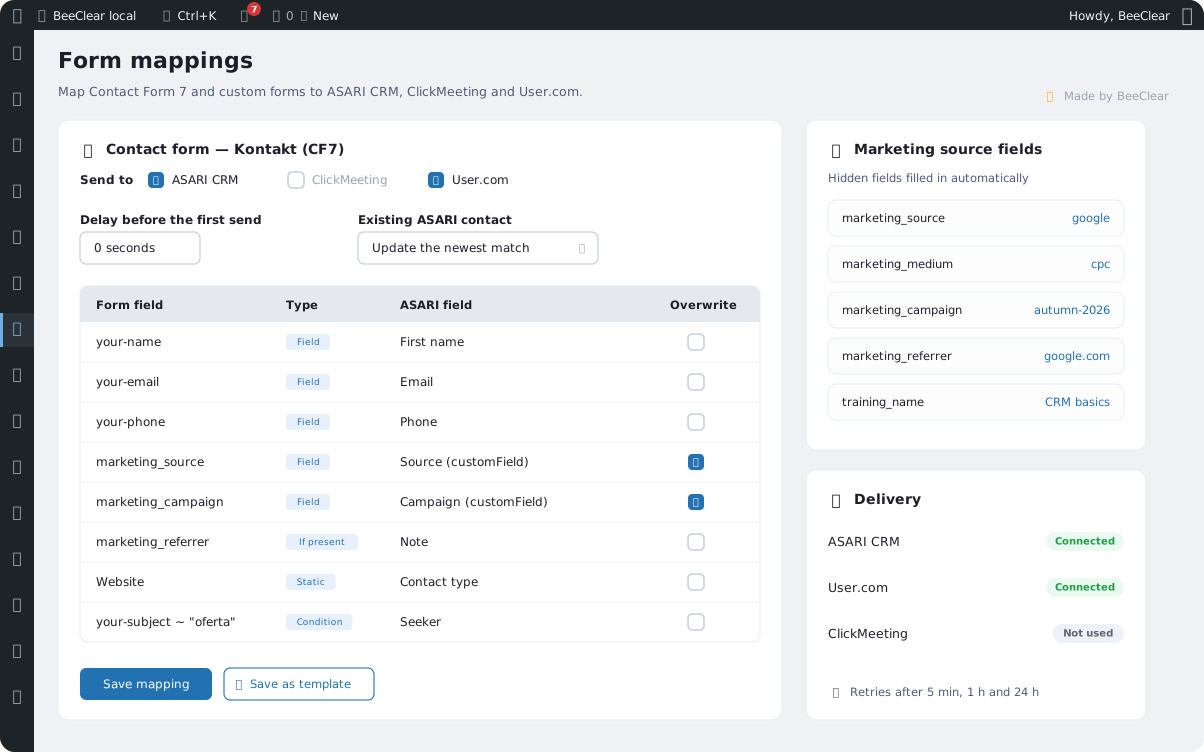
Marketing Source Tracking is a WordPress plugin that does this without manual fields or spreadsheets. It reads UTM parameters and the referring site, then passes them to your CRM together with the contact details.
Real estate agencies on ASARI CRM
Website enquiries reach ASARI CRM as contacts with their source and campaign. You can see which portals and ads bring in clients.
Training companies
A training sign-up registers the attendee in ClickMeeting and in your CRM at once, and training pages are built from ClickMeeting events.
Marketing teams
Every lead in User.com carries its source, medium and campaign. It is easier to see which channel actually sells.
Sites with many forms
Contact Form 7, custom HTML forms and non-WordPress sites are handled from one panel – with field mapping instead of code.
How does Marketing Source Tracking work?
Three steps from the first visit to a contact in your CRM – without slowing the form down.
Tracking only with consent
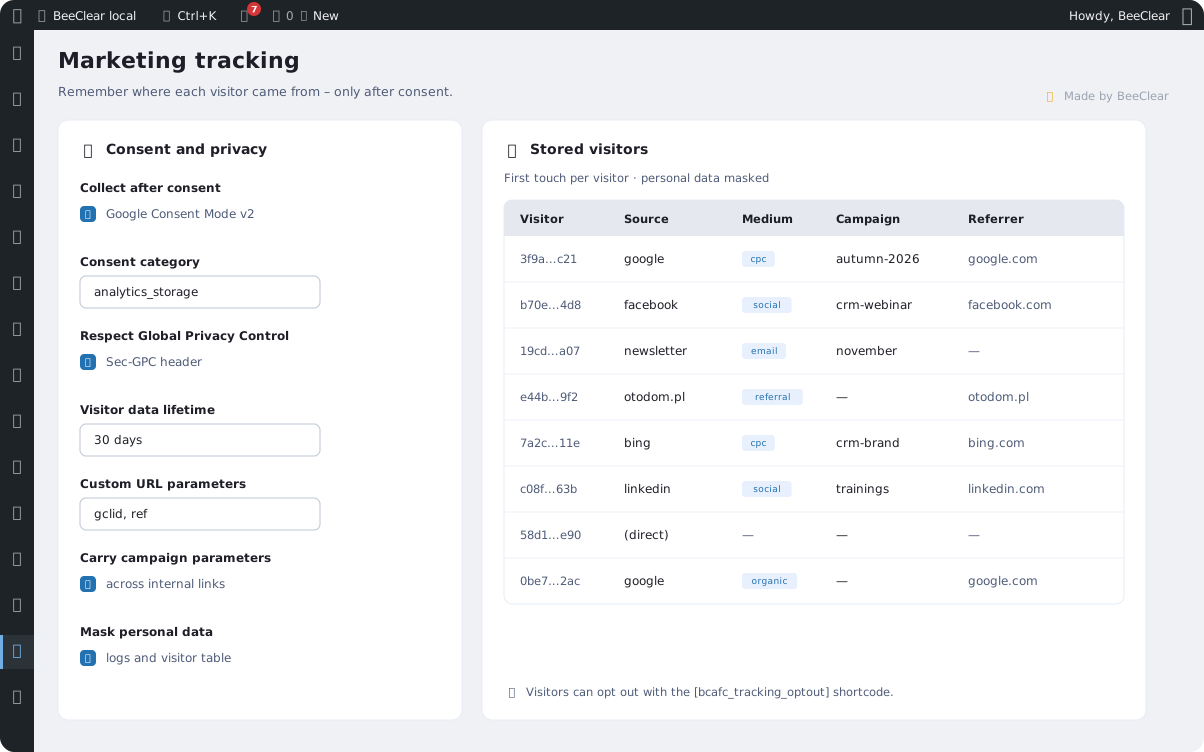
Marketing Source Tracking stores nothing until the visitor agrees to it.
- Consent is read from Google Consent Mode v2 or straight from the Complianz banner – it works with any consent tool that supports Consent Mode
- The plugin lists its own cookies in the Complianz cookie policy – in the site language and in English
- The Global Privacy Control signal is respected right after installation
- An opt-out shortcode lets visitors switch tracking off and erase their data
- Personal data in logs and the visitor table is masked
- The submission queue can be encrypted with AES-256-GCM
What does Marketing Source Tracking work with?
One plugin connects your site’s forms with the systems your sales and marketing team works in.
ASARI CRM
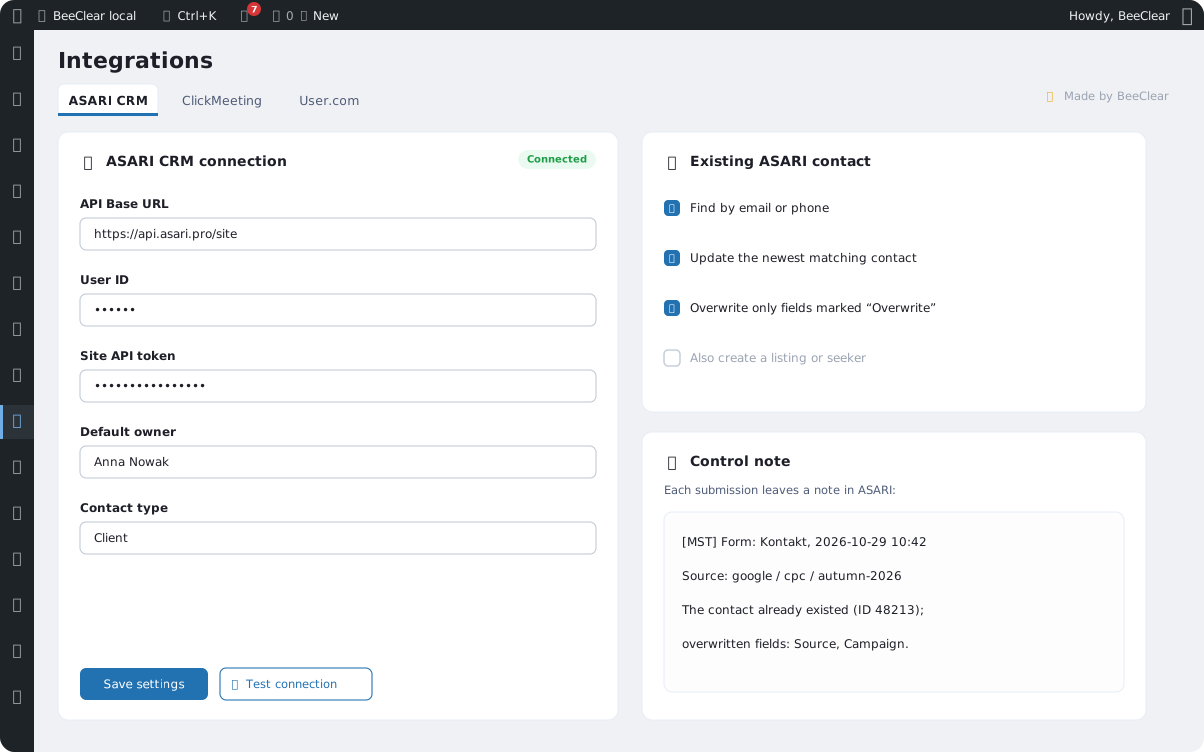
Creates a contact and, if you want, a listing or a seeker. When the person is already in the database, it updates only the fields you choose and leaves a control note.
ClickMeeting
Registers the attendee for an event – including the room picked on the training page – and can send the ClickMeeting confirmation.
User.com
Creates or updates the contact and records events, so the campaign and the form show up in the client’s history.
Contact Form 7
Hidden CF7 fields fill themselves in, and on selected pages you can prefill their values.
Custom forms
HTML forms without CF7 are picked with a CSS selector. The server checks the page URL rules where the mapping applies.
Non-WordPress sites
A relay file sends submissions from another PHP or HTML site – with an HMAC signature and rate limiting.
Complianz
Lists the plugin’s cookies in the cookie policy and reads the Statistics consent straight from the banner. Edits you make to the descriptions stay untouched.
How much does Marketing Source Tracking cost?
Marketing Source Tracking comes as a Premium plugin. Buy it monthly, yearly or for a lifetime, for 1 or 5 sites – the price updates as soon as you pick an option.
Premium version
$79.9
per year
Source tracking, form mapping, ASARI CRM, ClickMeeting and User.com integrations, a retry queue, training pages and updates. Try it free for 3 days.
Prices exclude tax. VAT is added in the Freemius checkout, where you pay by card or PayPal.
What else can Marketing Source Tracking do?
Features that make sure no submission gets lost on its way to your CRM.
Retry queue
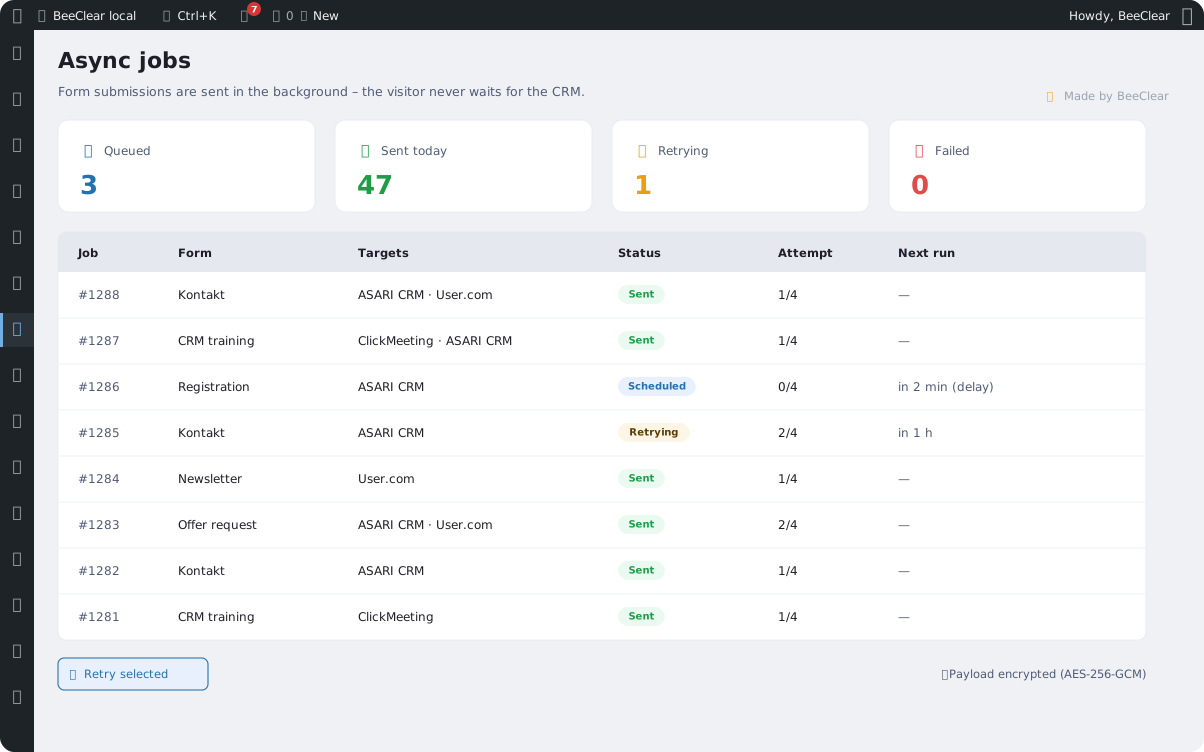
When the CRM does not respond, sending is retried after 5 minutes, an hour and a day. The queue screen shows the status of every submission.
Delay before the first send
Set a delay for a form – for example when a registration system has to create the contact first.
Mapping templates
Save a field mapping as a template and reuse it in the next form instead of building it again.
Training pages
Sync with ClickMeeting builds event pages from a template, with Event structured data and a sitemap of their own.
Import and export
Move the whole configuration to another site in a JSON file – with or without the API keys.
Error log
The last 50 warnings and errors are kept with personal data masked, even when logging is off.
What does Marketing Source Tracking look like in WordPress?
Tracking settings, the ASARI CRM connection and the sending queue.
Frequently asked questions about Marketing Source Tracking
Short answers to the questions people ask before the first setup.
- Do I need ASARI CRM?
- No. Each integration is switched on separately – you can send submissions only to User.com or only register attendees in ClickMeeting. Source tracking and field filling work without any CRM.
- Does the plugin work without Contact Form 7?
- Yes. Custom HTML forms are picked with a CSS selector, and forms on non-WordPress sites go through the relay file. Contact Form 7 is optional.
- What if the contact already exists in ASARI CRM?
- The plugin looks them up by email or phone and updates the matching contact (the newest by default) – only in the fields marked to overwrite. The control note shows what changed.
- Does tracking work without cookie consent?
- No. Without consent in Google Consent Mode v2 or in the Complianz banner the plugin stores nothing, and it treats the Global Privacy Control signal as a refusal.
- How does the trial work?
- You use the full version for 3 days. The Freemius checkout asks for a card – cancel before the trial ends and you pay nothing.
- Is data kept after uninstalling?
- Yes, unless you turn on data removal before uninstalling. Then settings, mappings, logs and the queue are deleted.
See where your clients really come from
Try Marketing Source Tracking on your site for 3 days. If you need help mapping your forms, get in touch.