
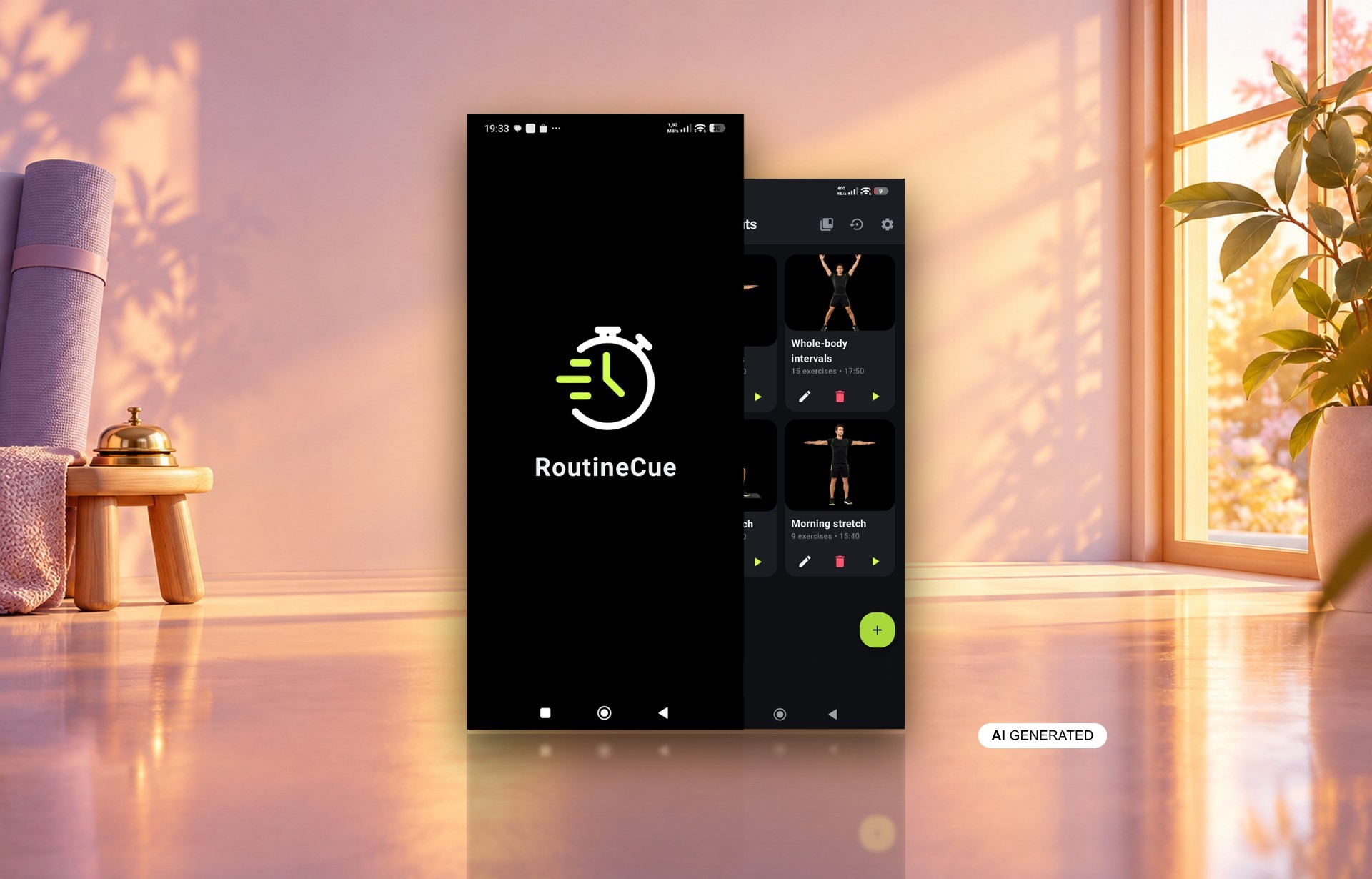
RoutineCue is a mobile app for Android that lets you build and run your own workouts. It was made by BeeClear, a developer of WordPress plugins and smartphone apps. Every workout in RoutineCue can have its own reminder at a chosen time and on chosen days of the week. That notification is deliberately designed not to disappear with a single swipe. Here is why we designed it that way, what other approaches get wrong and what you gain.
Table of contents
- What problem does a persistent workout reminder solve?
- How does the workout reminder in RoutineCue work?
- Why does the notification only go away after training or skipping?
- Isn’t a persistent workout reminder too pushy?
- What would other ways of reminding you to train break?
- Why does each workout have its own reminder schedule?
- Why does the reminder schedule come back after a phone restart?
- What do you gain from a reminder that waits for your decision?
What problem does a persistent workout reminder solve?
A persistent workout reminder solves the problem of notifications that vanish faster than the intention to exercise. An ordinary phone notification takes one swipe to clear, and people often swipe on reflex. The signal that today’s plan is still waiting goes with it. The workout is then neither done nor consciously cancelled. It simply slips away between two glances at the screen.
We designed RoutineCue for people who train on their own, at home or at the gym. They have their own set of exercises and are not looking for a community or ready-made coaching. The app has no trainer plans, no online competition and no social mode. So nobody from the outside will chase you about a planned session. The reminder takes over that role, so it has to hold on rather than just flash by.
How does the workout reminder in RoutineCue work?
The workout reminder in RoutineCue works separately for each routine. You set a time and any days of the week you like. At that time, your phone shows a notification tied to that specific plan. It stays active until you finish the session or choose to skip the workout. Those two ways out are the core of the whole feature.
You set the days and time while building the workout, next to the exercise order, reps, durations and rests. That makes the schedule part of the plan rather than a separate note in your calendar. Moving it is just as easy when your week changes. A routine without a reminder works normally too – you simply start it yourself.
Why does the notification only go away after training or skipping?
The notification only goes away after training or skipping because both are conscious decisions. A finished session means the intention was fulfilled. Skipping the workout means the intention was cancelled outright, with a single tap. A swipe, on the other hand, tells neither you nor the app anything. We wanted the reminder to keep the intention of training alive until one of those two moments.
The difference looks small, but it changes the meaning of the whole mechanism. A reflexive swipe no longer settles the matter. The workout entry stays in the bar at the top of the screen until you pick one of the two answers. Finishing the session clears it automatically, with no extra taps.
Isn’t a persistent workout reminder too pushy?
A persistent workout reminder is not pushy, because it only appears when you have scheduled it yourself. The reminder is an option for a given workout, not an obligation. You pick the time and the days of the week, so on the other days the app stays quiet. The settings of one workout also have no effect on your other plans.
The skip option matters just as much as the persistence itself. Without it, the alert would sit in the bar all day on a day when you simply can’t train. Instead of helping, it would annoy you into turning notifications off altogether. Skipping closes the matter honestly – you admit that today you are taking a break. You stay in control, and the app only makes sure a decision actually gets made.
What would other ways of reminding you to train break?
Other ways of reminding you to train usually break either the persistence of intention or the freedom to decide. A notification that is easy to clear gets lost quickly, while one with no way out is hard to live with. What happens to the schedule in the background matters too. Here is how common approaches compare with RoutineCue:
| Approach | What breaks | How RoutineCue handles it |
|---|---|---|
| Notification cleared with a swipe | the workout is lost to a reflexive gesture | the alert stays until you finish or skip the session |
| Alert with no skip button | it lingers in the bar after you decide to rest | skipping the workout settles the matter |
| One time slot for all plans | different routines get the same slot | time and days of the week set for each workout |
| Alarms scheduled only once | they silently stop working after a restart | the plan is restored after a restart, time change and update |
Each approach fails in a different place. The first hands your workout over to a reflex, while the second takes away your right to rest. The third flattens different training rhythms into a single hour. The fourth is the most dangerous, because it fails without any warning. RoutineCue combines persistence, a way out, a separate schedule and resilience to restarts in one mechanism.
Why does each workout have its own reminder schedule?
Each workout has its own reminder schedule because different routines rarely follow the same rhythm. A short stretching session may suit weekday mornings, while a longer strength session fits the weekend. One shared slot would force you to pick a time that suits only one of them. In RoutineCue, you set the time and days for each plan separately. Every notification therefore relates to one specific workout.
This split follows from the thinking behind the whole app. RoutineCue does not hand you ready-made programs – its essence is building your own routines. If the plan belongs to you, so does its rhythm. The same principle applies to exercises: you choose the type of execution and the values in each workout separately. The app just keeps track of the timing.
Why does the reminder schedule come back after a phone restart?
The reminder schedule comes back after a phone restart because even the most persistent notification is useless if it never appears. A silently failing alert breaks trust more than no alert at all. That is why RoutineCue restores its scheduled alarms after the device reboots. It also does so after a change of time or time zone, and after an app update. After a trip or a clock change, you don’t have to set anything up again.
One caveat comes from Android itself. If the phone does not allow the app to use exact alarms, the reminder may appear with a delay. We say this openly, because punctuality here depends on the device’s permissions. Persistence works the same way, though: once shown, the notification waits for your decision.
What do you gain from a reminder that waits for your decision?
With a reminder that waits for your decision, every planned workout ends with a clear outcome. You either do it or consciously let it go – no sessions lost along the way. You don’t need to remember training times or keep a written plan on paper. The player then guides you through the exercises and ends with a summary of the exercise count and total time. All that is left for you is the movement.
People who train with several different routines gain the most. A morning stretch, a midweek circuit and a longer Saturday session each get their own time and days. Your training week then sticks to the plan without side notes and without relying on memory.
Workouts, exercises and media stay locally on your phone, with no account or login. When you switch devices, exporting to a single JSON file carries over your reminders along with the rest of the configuration. RoutineCue runs on Android 10 or later and is free, with an ad banner at the bottom of the screen. You can read about its other features on the RoutineCue app page.